


TenderU - Online video chat
3.071.00 Reviews
App Specs
- Version
- 2.3.3
- Updated On
- License
- Free
- Downloads
- 10,000,000+
- Developer
- TenderU
- Categories
- Social
- Platform
- Android
Screenshots

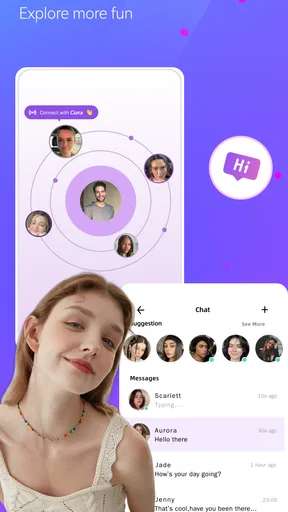



 Analysis by AppCompare
I approached TenderU as a social app for live video conversations rather than as a simple messaging tool. Its purpose is easy to understand: it connects people for online video chat around the world. In practice, the quality of the experience depends less on the basic idea and more on how comfortably you handle setup, permissions, privacy, and unexpected interruptions.
The app is free to download, although it includes optional purchases ranging from under a dollar to almost one hundred dollars per item. That immediately makes it important to understand your own usage before spending anything. TenderU is aimed at adults, carries a Mature 17+ rating, and comes from developer TenderU. I would not treat it as a casual app for children or as a replacement for a private conversation tool used with close friends.
My overall impression is mixed but useful: TenderU can suit someone who wants spontaneous video contact with people outside their usual circle, yet it is not the strongest choice for every kind of social interaction. The average rating sits at 3.0 from roughly sixteen thousand ratings, while the app has passed ten million installs. Those figures suggest broad curiosity and reach, but also a user experience that will not feel equally smooth to everyone.
Getting past the points where users usually get stuck
I find it helpful to separate a problem that blocks access from one that simply makes a conversation disappointing. In this section, I’ll focus on the small decisions that can keep a minor glitch from turning into a frustrating session, including when it is wiser to stop trying and move on. That practical distinction sets up a more deliberate way to check the phone and recover if something goes wrong.
The first decision is whether live video is really what you want
Many people install a social app expecting the familiar rhythm of text messages, profiles, and replies whenever convenient. TenderU is built around online video chat, so the commitment is different. You need to be ready for a more immediate interaction, with a camera, microphone, connection quality, and another person all affecting the conversation at once.
I would start by deciding what you want from the app. If your goal is meeting unfamiliar people through face-to-face conversation, its central format makes sense. If you mainly want to send messages slowly, share files, or maintain a private group with people you already know, a conventional messenger will probably feel more natural and predictable.
This distinction prevents a common mistake: judging the app as if it were a general-purpose social network. TenderU’s appeal is the directness of video, not the depth of a long-term personal archive. The same immediacy that makes a conversation interesting can also make it feel demanding when you are tired, distracted, or using a weak connection.
Worth Reading Before You Choose

EA SPORTS FC Mobile 26 Is a Bigger Football Game, but It Takes Time

Flipboard Shows What News Apps Must Do Beyond the Feed

Switching to Android Auto Means Rethinking Your Driving Routine

Google Calendar Makes a Crowded Week Easier to Manage

Ludo King Makes the Most of the Minutes Between Plans

Baby Panda World Brings Quick Play to Modern Phones, but Its Game Library Feels Busy
Camera and microphone access deserve attention
Video chat cannot work properly if the app cannot use the camera or microphone. When a call appears to start but the other person cannot see or hear you, the problem may be a denied permission rather than a broken service. I recommend checking these permissions before trying more complicated fixes, especially after reinstalling the app or changing privacy settings on the phone.
It is also worth checking which camera is active and whether the microphone opening is covered by a case, dust, or your hand. These are simple details, but they create confusing symptoms. A black preview can look like an app failure when the camera is simply blocked, while very quiet audio can come from the phone itself rather than from TenderU.
For a first session, I would use a bright room and place the phone on a stable surface. This is not just about looking better. A stable position lets you concentrate on the conversation instead of holding the device at an awkward angle, and good lighting makes it easier to tell whether the camera is actually working.
Connection quality changes the whole experience
Video requires more from a connection than ordinary text chat. If the picture freezes, voices arrive late, or a session ends unexpectedly, move closer to your Wi-Fi router or try a reliable mobile connection. Avoid testing the app while another device is heavily streaming, uploading, or downloading, because that can make the result misleading.
A practical test is to close other demanding apps, reconnect to the network, and try again in the same physical location. If the second attempt improves, the original issue was likely temporary congestion. If every other online service also struggles, there is little value in repeatedly reinstalling TenderU.
I would also avoid judging the app during a crowded commute or in a place with constantly changing mobile coverage. Video chat is especially sensitive to handoffs between network points. A quiet room with a stable connection gives you a fairer idea of how the service feels.
Age and privacy should be part of setup
The Mature 17+ rating is meaningful here because live conversations can be less predictable than browsing a fixed feed. I would recommend using the app only if you are comfortable ending a conversation quickly, declining personal questions, and avoiding the exchange of information that could identify where you live, work, or study.
Do not assume that a friendly video chat creates trust. Keep your first conversations general, and be cautious if someone pressures you to move elsewhere, share private details, send money, or continue after you have said no. The ability to leave is one of the most useful safety tools in any live social app, so use it without feeling obliged to explain yourself.
Another practical habit is to prepare your surroundings before starting. A background can reveal more than you intend, including documents, school materials, delivery labels, or family details. A plain wall or carefully chosen angle gives you more control than trying to hide information after a conversation has already begun.
Purchases can become a source of confusion
TenderU is free to use as a download, but optional in-app purchases are available. Because individual items can cost from $0.99 to $99.99, I would not tap purchase controls casually while exploring the interface. Take a moment to understand what an item is for, whether it is one-time or recurring in nature, and whether it changes the way you intend to use the app.
This is especially important for someone who installs the app out of curiosity and then becomes more active after a few conversations. Set a personal spending limit before you begin. If you are testing the service for the first time, use the free experience to decide whether the conversation format suits you before considering any optional spending.
Parents and guardians should also remember that a Mature 17+ social app with purchases is not something to leave unattended on a shared device. Device-level purchase controls and account security are sensible precautions, regardless of whether the app itself is currently being used.
Simple setup checks and a better recovery workflow
When I troubleshoot live video, I get better results by changing one thing at a time and noting what happened, rather than reinstalling or toggling several settings at once. This section looks at a simple sequence for checking the device, connection, and app, while keeping account access and personal comfort in mind. With that groundwork, it becomes easier to tell whether another attempt is worthwhile.
Use a calm first launch instead of rushing into a conversation
My preferred setup sequence is deliberately boring: update the phone, install the current TenderU release, connect to a stable network, check the camera and microphone, and then open the app with enough time to test it. The current version is 2.3.3, and the app supports devices running Android 6.0 or later. If your phone is older or heavily restricted, compatibility can be a more likely source of trouble than the service itself.
Before starting a real conversation, look at the phone’s battery level and available storage. Video can drain a battery faster than ordinary social browsing, while a phone that is nearly full may behave unpredictably when several apps are open. Closing unused apps can also reduce heat and free system resources.
I would not change many settings at once. If you deny the camera, switch networks, reinstall the app, and change battery restrictions in one attempt, you will not know which action helped. Make one adjustment, test again, and keep the process simple.
What to do when video or audio fails
When the picture is missing, first check whether the camera works in another phone app. When sound is missing, record a short clip or make a normal call to see whether the microphone behaves elsewhere. These checks separate a TenderU-specific problem from a device problem without requiring technical knowledge.
If the camera and microphone work normally outside TenderU, revisit the app’s permissions and restart it completely. If the phone’s camera also fails in other apps, focus on the device: remove anything covering the lens, restart the phone, and check whether another app is already using the camera or microphone.
For a frozen conversation, leave and reopen the session rather than repeatedly tapping the same control. Restarting the app clears many temporary states more effectively than pressing a button again and again. If the problem returns only with one particular connection, switch networks before assuming the account or installation is damaged.
Recovering from a dropped or uncomfortable session
A dropped session does not always mean you have done something wrong. Network changes, temporary service interruptions, or phone resource limits can all interrupt live communication. I would wait briefly, reopen the app, and try once more. If the same issue repeats, stop testing for a while instead of burning battery and becoming frustrated.
There is also a social side to recovery. If a conversation becomes uncomfortable, you do not need to reconnect simply because the call ended unexpectedly. A technical interruption can be a natural stopping point. If someone becomes pushy, treats your hesitation as a challenge, or asks for sensitive information, ending the interaction is the correct response, not a failure of the app.
When a person disappears or does not respond, avoid immediately interpreting that as a problem with your phone. They may have closed the app, lost their connection, or chosen not to continue. Live social platforms involve two people, so not every interruption can be repaired from your side.
When reinstalling helps and when it does not
Reinstalling can help after a corrupted local state or an incomplete update, but it should not be the first response to every problem. Before doing it, make sure you know how you will sign back in and that you are comfortable with any local settings being reset. Reinstallation is a cleanup step, not a guaranteed solution for poor coverage, microphone damage, or an uncomfortable interaction.
If the app works after reinstalling but fails again later, look for a repeating trigger. It might be a particular network, low battery, aggressive background restrictions, or another app competing for the camera. Finding the pattern is more useful than repeating the same installation cycle.
Recognizing problems that are not really caused by TenderU
Phone hardware is an easy culprit to overlook. A damaged microphone, blocked lens, overheating device, or weak battery can make any video service feel unreliable. Test the same components elsewhere before deciding that TenderU is at fault.
Network conditions are another boundary. If webpages load slowly, other video services buffer, or calls drop across several apps, changing TenderU settings will not solve the underlying issue. Try a different location or connection and compare the result. This small experiment can save a lot of unnecessary troubleshooting.
Finally, some friction is caused by expectations. TenderU cannot guarantee that every conversation will be engaging, comfortable, or worth continuing. A quiet response, an awkward exchange, or a mismatch in communication style is part of meeting strangers online, not necessarily a technical defect.
Who will get the most from this app?
I see TenderU as a reasonable fit for adults who specifically want spontaneous video interaction and are comfortable managing boundaries in real time. It may appeal to someone who enjoys meeting people beyond their existing contacts and prefers seeing facial expressions and hearing voices over exchanging short text messages.
It can also work for a user who is willing to troubleshoot basic issues without expecting every session to be perfect. Stable connectivity, a suitable environment, and a willingness to leave poor conversations quickly make a noticeable difference. In that sense, the app rewards preparation more than passive browsing does.
I would suggest skipping it if you want a quiet, private, asynchronous social experience. People who dislike appearing on camera, need reliable group collaboration, or want a carefully controlled contact list may be happier with a standard messenger or a dedicated video meeting service. Those alternatives are usually better when the priority is scheduling, continuity, work, family communication, or predictable moderation.
How it compares with familiar alternatives
Compared with text-first social apps, TenderU feels more immediate and less forgiving. Text lets you edit your words, answer later, and disengage gradually. Video makes the connection more human, but it also exposes poor lighting, background noise, network instability, and uncomfortable pauses. Choose TenderU when that immediacy is the point, not when you are trying to avoid it.
Compared with established video meeting tools, TenderU is oriented toward social discovery rather than planned calls with known participants. A meeting app is generally the better choice for a class, appointment, team discussion, or family event where everyone needs a clear schedule and a dependable shared purpose. TenderU makes more sense when the appeal is the conversation itself and the people involved may not already know each other.
Compared with ordinary messaging, the trade-off is simple: you gain presence and lose some control. That is worthwhile for users who enjoy live interaction, but it is a poor exchange for anyone who values careful pacing and a permanent written record more than face-to-face contact.
My practical verdict after weighing the trade-offs
TenderU is an accessible idea with a broad audience, and its free entry makes it easy to try. Its large install base shows that many people are interested in this kind of social video experience. Still, the 3.0 average rating is a useful reminder to keep expectations realistic. I would approach it as an experiment, not as a guaranteed source of meaningful conversations.
The strongest advice I can give is to treat setup and personal boundaries as part of the product experience. Check the camera, microphone, connection, battery, and age suitability before you begin. Do not spend money until you understand what you are receiving. If a session fails, separate device and network problems from app problems before reinstalling. If a conversation feels wrong, leave immediately.
For me, TenderU is worth considering when the goal is meeting people through live video and accepting the unpredictability that comes with it. It is not my first recommendation for private communication, structured calls, or users who want complete control over who can contact them. The right reason to install it is curiosity about live social video, paired with clear limits on time, privacy, and spending.
With that mindset, the app can be a useful way to explore conversations beyond your usual circle. Without it, the same immediacy can become tiring quickly. I would try the free experience on a stable connection, make a careful first impression of how the conversations feel, and then decide whether TenderU deserves a regular place on your phone.
Pros
- Quick matching makes it easy to start conversations with new people.
- Video chats feel more personal than text-only messaging.
- Simple interface is easy for first-time users to navigate.
- Useful filters help narrow down potential chat partners.
- Convenient for meeting people with different interests and backgrounds.
Cons
- Some features may require in-app purchases or a paid subscription.
- Match quality can vary significantly depending on your location.
- Unwanted messages or inappropriate behavior may occasionally occur.
- Video calls can consume considerable mobile data and battery power.
- Privacy-conscious users may dislike sharing video with strangers.
FAQs for TenderU - Online video chat
What is TenderU - Online video chat, and how does it work?
TenderU - Online video chat is designed for meeting and communicating with people through live video conversations. After creating a profile, users can browse available contacts, start chats, and use messaging or video features depending on the other person’s availability. The experience is centered on spontaneous social interaction, so a stable internet connection, microphone, and camera are recommended for the best results.
Is TenderU - Online video chat free to download and use?
The application may be available to download at no initial cost, but some functions can require in-app purchases, credits, subscriptions, or other paid features. Access to video calls, virtual gifts, extended messaging, or premium profiles may vary according to the current version and region. Before spending money, review the pricing details shown inside the app and check the store’s subscription terms.
Is TenderU - Online video chat safe for meeting strangers?
As with any video-chat platform, users should be careful when interacting with people they do not know. Avoid sharing your home address, financial information, passwords, private documents, or other sensitive details. Use the application’s blocking and reporting tools whenever a conversation becomes uncomfortable, suspicious, or inappropriate. It is also wise to keep your profile limited to information you are comfortable making public.
What permissions does TenderU - Online video chat require?
A video-chat service typically needs access to the camera and microphone to support live calls, while notifications may be requested to alert you about messages or invitations. Depending on the features enabled, the app may also request internet-related or storage permissions. Review each permission prompt carefully and grant only what is necessary. You can change permissions later through your Android or iOS privacy settings.
What should I do if video calls are not working correctly?
If calls fail to connect, begin by checking your Wi-Fi or mobile-data signal and confirming that TenderU has permission to use the camera and microphone. Closing and reopening the app, updating it, or restarting the device can also help. Avoid using several bandwidth-heavy apps during a call. If the issue continues, consult the application’s support section and include your device model and operating-system version.


